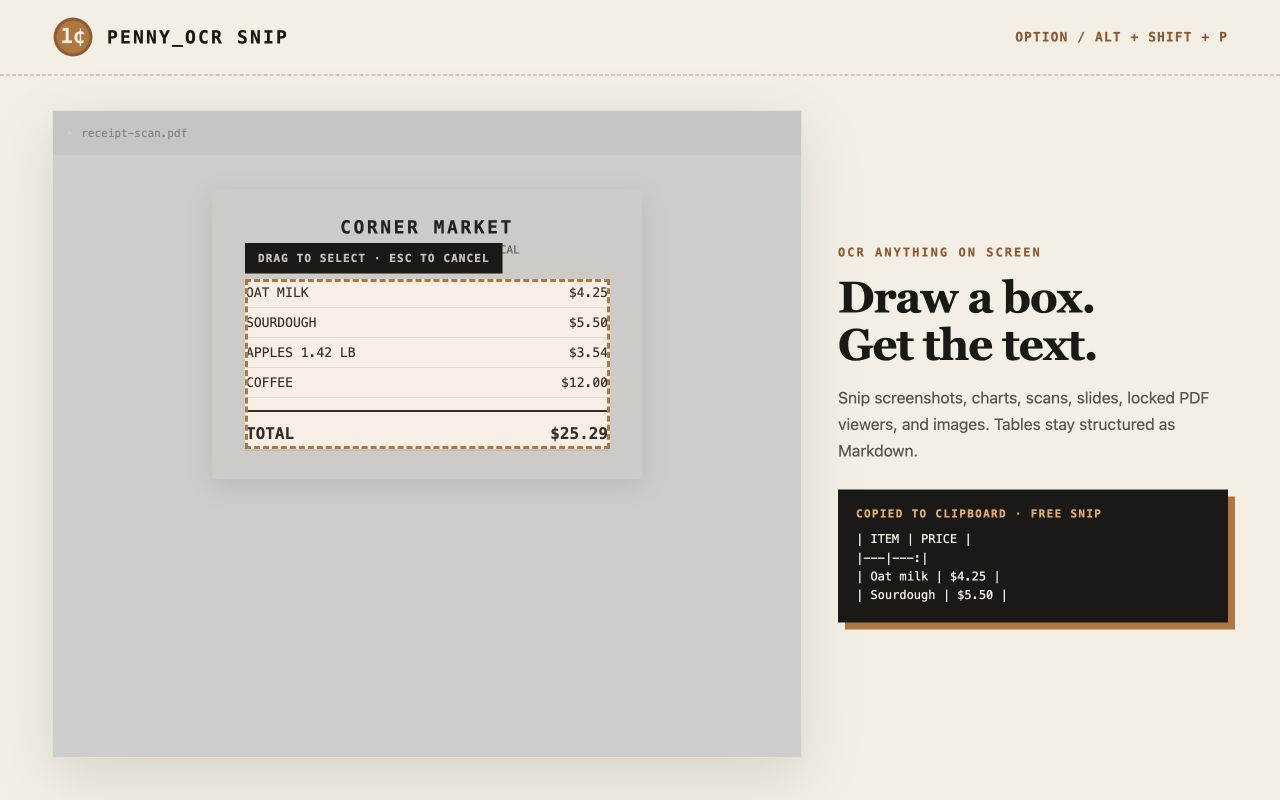
DRAW A BOX.
GET THE TEXT.
Copy text from screenshots, charts, scans, slides, locked PDF viewers, and images. PennyOCR Snip preserves tables as Markdown and copies the result before you can lose it.
ON THE CHROME WEB STORE · V0.4.0 · MANIFEST V3 · 3 FREE SNIPS A MONTH, NO ACCOUNT
THE POPUP IS A CLIPBOARD THAT REMEMBERS.
Every successful snip copies instantly and stays in a private local transcript. Sign in by email when you need more—no password or API key choreography.
Draw around exactly what you want. The result lands in your clipboard.
Right-click an image and read it without downloading or re-uploading it.
Tables keep their rows and columns. Switch to plain text anytime.
Search and reuse your last 500 snips without sending that history anywhere.
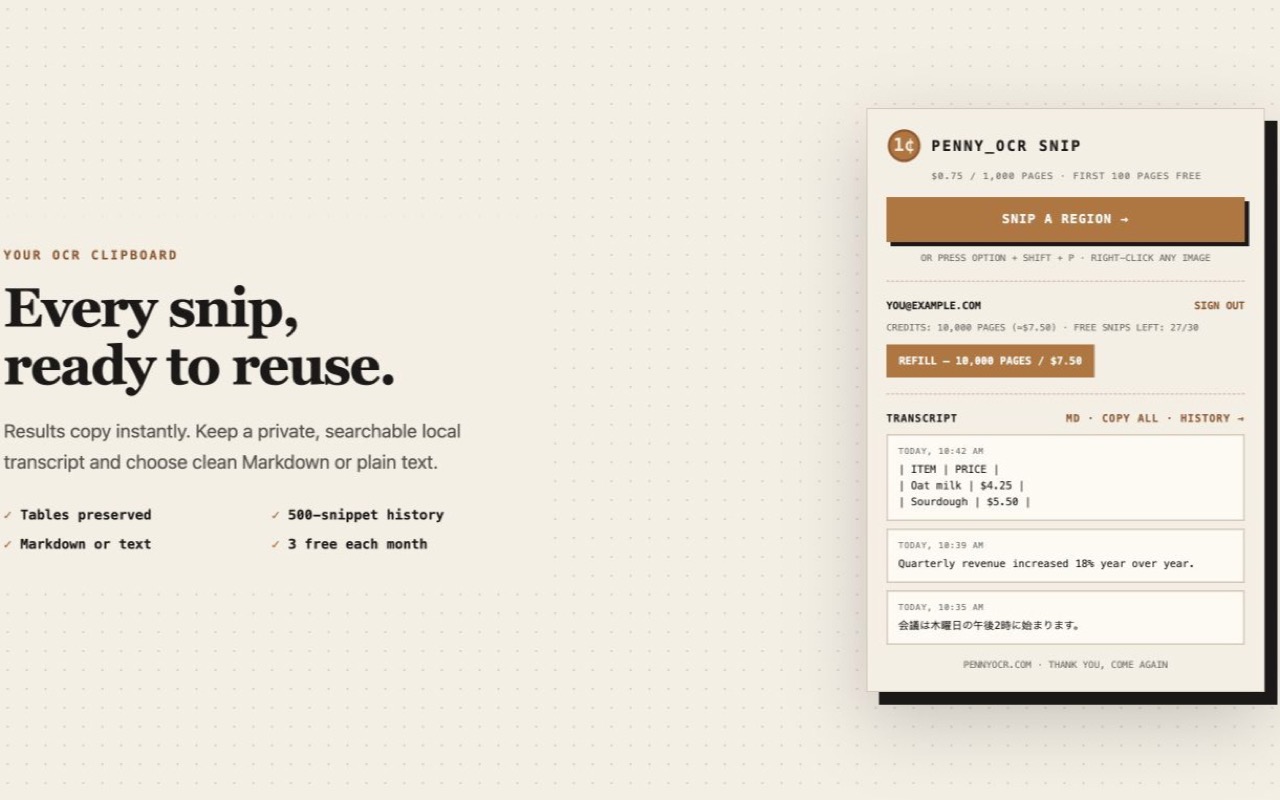
No account required. Email sign-in unlocks 30 free snips each month, plus the first 100 API pages free. More usage is $0.75 per 1,000 pages.
Only the pixels you deliberately select go to PennyOCR. They are processed and discarded by default, never sold, and never used to train models. Your transcript stays in Chrome local storage.
READ THE EXTENSION PRIVACY DISCLOSURE →THREE QUICK STEPS.
OPEN THE WEB STORE →Prefer to load it yourself? The v0.4.0 zip and full source stay on GitHub.
- STEP 1Add to Chrome
One click from the Chrome Web Store — no account, no card.
- STEP 2Pin the coin
Click the puzzle icon in the toolbar and pin PennyOCR Snip.
- STEP 3Snip anything
Press Option+Shift+P (Alt+Shift+P on Windows) and drag a box.